
Surveys & CSAT
Products › Lodgestory CRM › Settings › Surveys & CSAT
All plans (limits vary) New
With Surveys & CSAT you can measure how customers actually feel — through branded, hosted survey links they can answer in under a minute, on your domain or ours.
TL;DR
- What it is: A full survey product: visual builder, hosted response pages, single-use invite links, analytics, CSV export and a partner API.
- Who it's for: Owners and admins who want CSAT, NPS or effort scores tied to real interactions.
- Top outcome: Every score lands with its context — which ticket, chat, call, agent and channel it was about.
At a glance
| Plan tier | All plans — the number of active forms and monthly responses depends on your plan |
| Who can use it | Any workspace member (building and sending); admins and owners for workspace-wide settings; anyone with a link (responding) |
| Channels | Any — you send the link over WhatsApp, email, SMS, QR codes or your own systems |
| Integrations | Your own domain (custom domain hosting), partner API, webhooks |
| Limits at a glance | Active-form and monthly-response quotas per plan; survey-fatigue caps per customer |
| API available | Yes — create invite links, submit responses and read results programmatically |
How to get there
Sidebar › Settings › Workflows › Surveys & CSAT
Direct URL: lodgestory.com/crm/settings/surveys
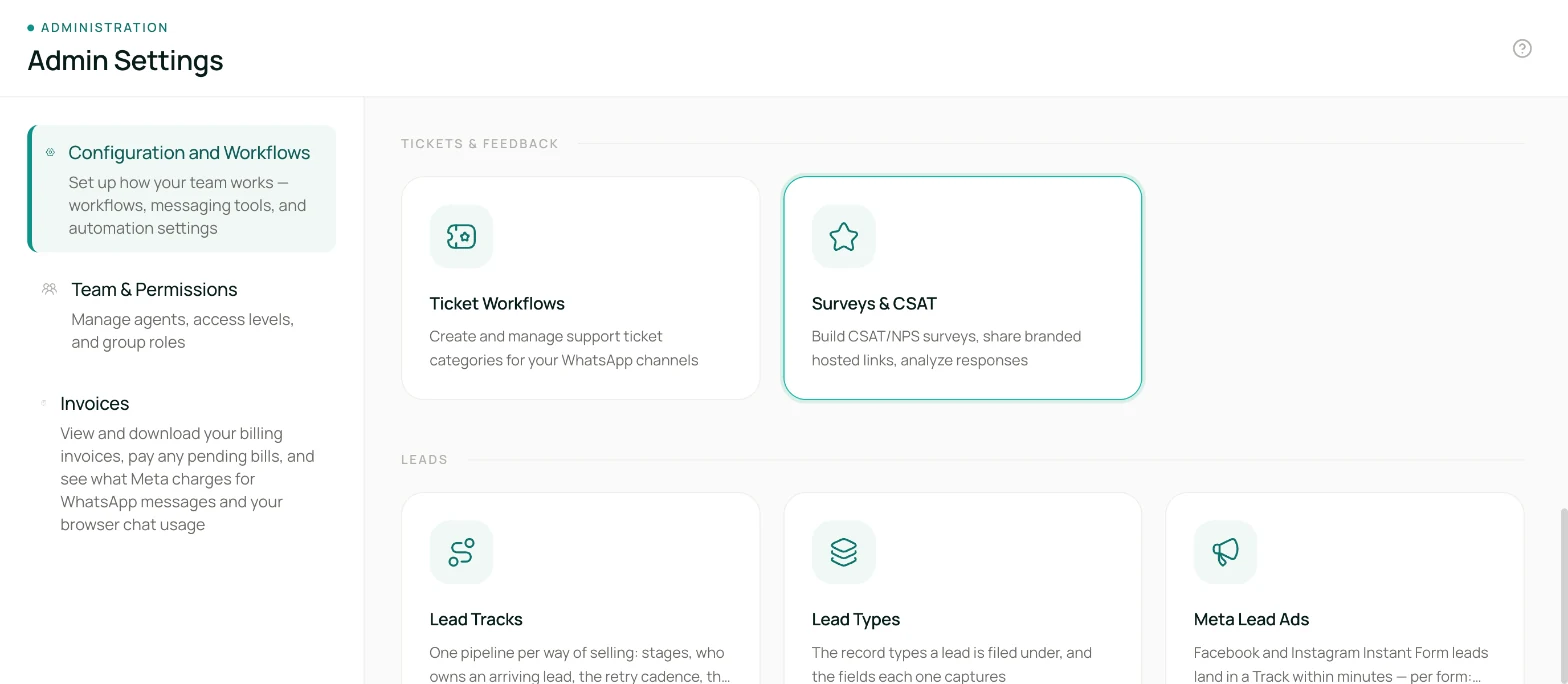
Caption: the Surveys & CSAT tile under Settings.
What is Surveys & CSAT?
The problem it solves
Most teams either never ask customers how an interaction went, or they ask with a generic form whose scores float free of any context — you learn the average but never which stay, ticket or agent produced it. Surveys & CSAT ties every response to the interaction that triggered it, enforces per-customer fatigue caps so you never over-survey, and hosts the whole experience under your brand — even on your own domain.
What you get
- Build branching surveys visually — route a low score to "what went wrong?" and a high score straight to thanks.
- Share three ways: single-use invite links per customer, an evergreen public link (great for QR codes), or fully headless through the API.
- See responses with full context: score, per-question answers, channel, agent, trigger event and your own metadata.
- Export any view as CSV, or ask the AI analyst (Ask AI) questions like "average CSAT by agent this month".
- Host the survey pages on your own domain (e.g.
feedback.yourhotel.com) with automatic SSL.
How it's different
Every survey is versioned: publishing freezes the exact wording and flow, and each response records the version it answered — so when you rewrite a question, historical trends stay honest. Responses are also deduplicated by design: an invite link can only ever be answered once.
Core concepts
- Form — one survey (name, flow, branding, link settings). A workspace can have several, up to your plan's limit.
- Version — a published snapshot of the flow. Live links always serve the latest version; responses record which version they answered.
- Invite link — a single-use link minted for one customer/interaction. It carries context (ticket, chat, call, agent, channel, trigger event) and blocks resubmission.
- Public link — the form's evergreen shareable link. Ideal for QR codes at reception; basic duplicate protection applies.
- Branch — a rule on a question ("score 0–6", "chip = Cleanliness") that routes the respondent to a different next step. Every step also has an Any other answer route that catches everything else.
- Scale label set — form-level meanings for scale points ("1 = Very poor … 5 = Excellent") so every question reads the same.
- Fatigue cap — a workspace-wide ceiling on invites per customer in a rolling window; invites beyond it are held back ("suppressed"), never sent.
Quick Start
- Open Settings › Surveys & CSAT and click New survey. Pick the CSAT or NPS template.
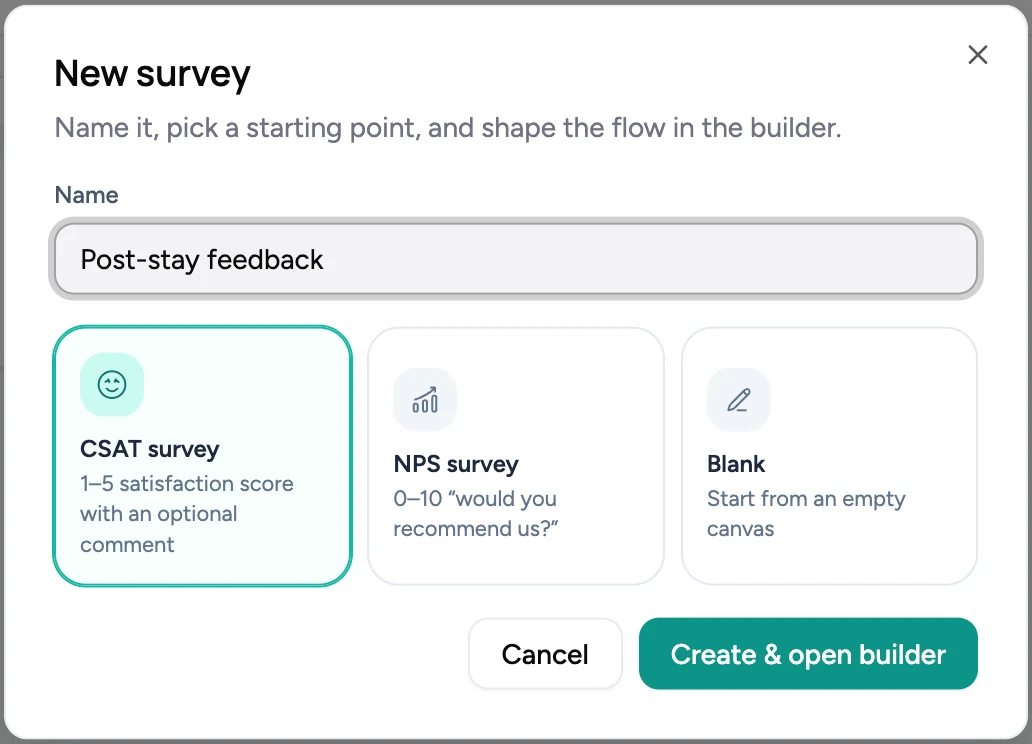
- In the builder, click any step to edit its question, scale and labels.
- Add branches: give a scale question a score branch (e.g. 0–6) and connect it to a follow-up question. Connect every step's Any other answer route.
- Click Publish. Fix anything the flow check flags, then confirm — your survey is live as v1.
- Turn on the links you need under the form's Settings tab (invite links are on by default; enable the public link for QR use).
- Create an invite from the Responses › Invite links tab — copy the link immediately (it's shown once) and send it to a customer.
- Watch responses land in the Responses tab, with per-question analytics on Overview.
How it works
You design the flow once and publish it. Lodgestory hosts the response experience on a fast, mobile-first page carrying your logo and accent colour. When a customer opens their link, their progress is saved step by step — even if they drop off, you keep the partial answers and the response is marked abandoned after your chosen window. Submissions are checked end-to-end against the published flow, so the data you analyze always matches the questions that were actually asked. Invite links expire on your schedule, can never be answered twice, and respect the workspace's fatigue caps automatically.
Features in depth
Visual flow builder
Drag question steps onto a canvas — CSAT, NPS (0–10), Customer Effort, star ratings, thumbs up/down, open text and multiple choice. Connect branches by answer or score range. The builder blocks loops and tells you exactly what to fix before publishing. Questions can be marked inactive to skip them without deleting history.
Hosted, branded response pages
One question per step, large touch targets, progress bar, back button — designed for phones first. Branding (logo, accent colour, brand name) and the thank-you screen are yours; different endings can show different messages or redirect to a page of your choice.
Your own domain
Connect one domain per workspace (e.g. feedback.yourhotel.com): add two DNS records, click verify, and Lodgestory provisions SSL automatically. The domain root can serve a default survey, and each live survey is reachable at its own path.
Context metadata
Invites accept the interaction they relate to — ticket, chat or call id, channel, agent, team, trigger event — plus any metadata of your own shape. It's stored with the response, appears in exports and webhooks, and drives the by agent / by channel / by team breakdowns on the Overview tab. You can filter the Responses list by agent and channel too.
Anti-abuse protection
Public links are protected by rate limits, hidden bot traps, per-network daily caps and optional human verification. You can also set a per-form daily response cap, and a minimum time before a public-link response can be submitted (off by default — single-use invite links don't need it).
Human verification applies only to the evergreen public link; invite links don't need it. It also becomes unavailable once you connect your own survey domain, because the verification service can't be told your domain in advance. Invite links, response caps, rate limits and the hidden bot traps all keep working on a custom domain.
Analytics, CSV & Ask AI
The Overview tab shows response trends, completion rate, average scores, NPS breakdown, per-question distributions and score breakdowns by agent, channel and team. Responses export to CSV (one column per question), and the Ask AI analyst can query survey results alongside the rest of your workspace data.
Webhooks
Subscribe to the survey.response_submitted event to push every completed response — answers, consent and metadata included — into your own systems the moment it lands.
Roles & permissions
- Designing surveys — creating, editing, publishing and archiving forms: any workspace member (the same as Bot Journeys).
- Sending invites and reading results — minting invite links, viewing responses, exporting CSV: any workspace member, so agents can run and review their own surveys.
- Workspace-wide settings — the survey-fatigue caps, and connecting or removing the custom domain: admins and owners only, because they affect every survey and every link the workspace has published.
- Responding: anyone with a link — respondents never need an account.
- API: workspace API credentials (including service accounts) with admin, owner or bot roles.
Connections
- Tickets, chats and calls — pass the interaction id when creating an invite and every score rolls up to the conversation and agent it was about.
- Webhooks — feed responses into your data warehouse or trigger follow-up workflows in your own stack.
- Ask AI — "What's our NPS this quarter?" works out of the box once responses exist.
Limits you may run into
- Active forms and monthly completed responses are plan-limited; the Surveys page shows a live usage meter. At the response limit, surveys stop accepting new responses until the next month (in-progress respondents always finish).
- Fatigue caps (default: 2 invites per customer per 7 days, configurable) hold back further invites for that customer — the API tells you when and until when.
- Invite links expire (default: 7 days, configurable per form). Expiry applies even if the link was already opened, so a forwarded link can't be answered later.
Errors & FAQ
"This survey link has expired." The invite passed its expiry. Create a fresh invite for that customer.
"This survey has already been submitted." Invite links are single-use by design. If the customer needs to amend an answer, send a new invite.
"Held back by fatigue caps." The customer already received the maximum invites for the rolling window. The message shows when they become eligible again.
A customer says the link shows "not accepting responses". Your workspace hit its monthly response limit, or the form's daily cap was reached. Check the usage meter on the Surveys page.
I changed a question but customers still see the old one. Edits stay in your draft until you click Publish — the amber dot on the LIVE badge means unpublished changes.
API
The partner API covers the full loop — for teams that trigger surveys from their own systems today:
| Action | What it does |
|---|---|
| List forms / fetch a form's definition | Discover live surveys and render them in your own UI if you wish |
| Create an invite link | Returns the single-use link once, with your context attached — or a "suppressed" result when fatigue caps apply |
| Report sent / delivered | Tell Lodgestory when your system sent the link, so response-rate analytics are accurate |
| Submit a response | Store answers collected in your own interface (validated against the published flow) |
| List / fetch responses | Pull results, including per-question answers |
Authentication uses your workspace API token (see Platform › Authentication). Example invite request body:
{
  "externalCustomerRef": "guest-4711",
  "interactionId": "TCK-2093",
  "interactionType": "TICKET",
  "channel": "whatsapp",
  "triggerEvent": "ticket_closed",
  "metadata": { "propertyId": "villa-12" }
}
Full request/response schemas live in the interactive API reference under the Surveys tag.
Changelog
- Aug 2026 — Surveys & CSAT launched: visual builder with branching, versioned publishing, invite + public links, custom domains, fatigue caps, analytics, CSV export, webhooks and the partner API.
Related modules & next steps
Updated 12 days ago